How to Contact Food Delivery Support & Get Help Fast Guide Now
How to Contact Food Delivery Support & Get Help Quickly
Introduction
Food delivery apps have made life incredibly convenient. With just a few taps, you can order your favorite meals and have them delivered to your doorstep. But what happens when something goes wrong—your order doesn’t arrive, payment fails, or the app stops working?
This is where food delivery support becomes essential. Whether you're using Uber Eats, DoorDash, Deliveroo, Zomato, Swiggy, or foodpanda, knowing how to quickly reach customer service can save you time, money, and frustration.
In this guide, you’ll learn practical steps to contact support fast, solve common problems, and get your issues resolved efficiently using official customer service channels.
Section 1: Common Issues Users Face in Food Delivery Apps
Before reaching out to support, it helps to understand the most common problems users face. Most customer service requests fall into a few key categories.
1. Login and Account Access Problems
One of the most frequent issues is being unable to log in. This can happen due to forgotten passwords, device changes, or app glitches. Users often search for account recovery help when locked out.
2. Order Not Delivered or Delayed
Another common issue is when an order is marked delivered but never arrives. Sometimes delivery drivers face delays, or the system updates incorrectly.
3. Payment Failures or Refund Issues
Payment errors can occur due to network issues, bank declines, or app-side glitches. Refund delays are also a major reason users seek customer service help.
4. App Errors and Crashes
Apps like Uber Eats or DoorDash may sometimes crash, freeze, or fail to load menus or checkout pages, requiring app troubleshooting guide support.
Section 2: How to Contact Support Quickly
If you need contact support fast, the method you choose can make a big difference. Most food delivery apps offer multiple support options.
Step 1: Use the In-App Help Center
The fastest way to get help is through the app itself. Every major platform—whether it’s Deliveroo or Zomato—has a built-in delivery app help center.
You can usually find it in:
- Profile section
- Orders tab
- Settings menu
From there, select your order and choose the issue type.
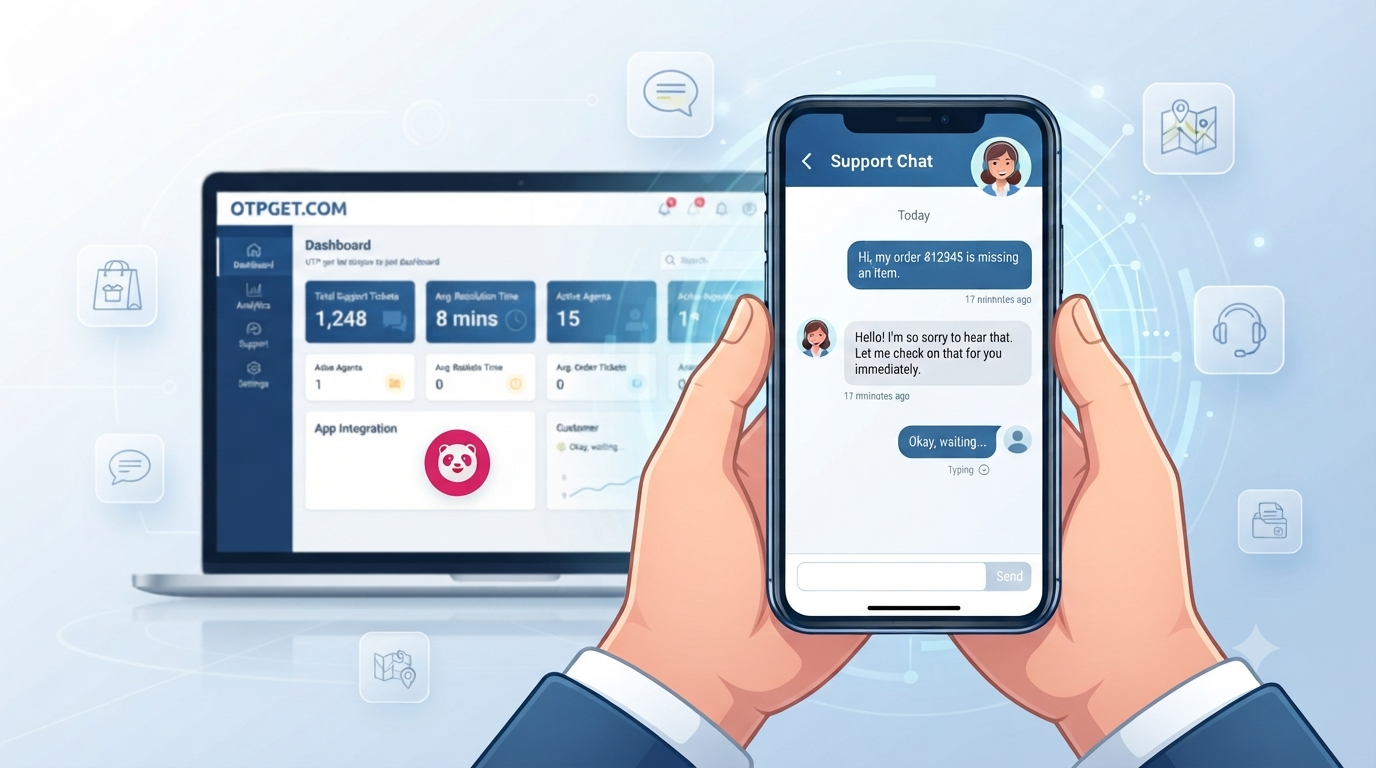
Step 2: Start a Live Chat Support Session
Most apps now prefer chat-based support instead of phone calls. Live chat connects you directly to a customer support agent who can assist in real time.
This is especially useful for:
- Order tracking issues
- Refund requests
- Payment problems
- Delivery delays
Apps like Swiggy and foodpanda heavily rely on chat systems for help chat support.
Step 3: Use Email or Contact Forms
If your issue is complex, submitting a detailed request through email or contact forms is a good option. This works well for:
- Disputes
- Account recovery help
- Repeated order issues
Make sure you include:
- Order ID
- Screenshot of the issue
- Payment details (masked for security)
Step 4: Explore Customer Care Number Alternatives
Some users prefer phone support, but many apps now focus on in-app help instead of traditional customer care number alternative systems. Chat and email are often faster and more traceable.
Section 3: Best Practices for Fast Resolution
Getting quick help from food delivery support isn’t just about contacting them—it’s about how clearly you explain your issue.
1. Write a Clear Complaint
Avoid vague messages like “my order is wrong.” Instead, clearly describe:
- What you ordered
- What you received
- What went wrong
This helps customer service resolve your issue faster.
2. Attach Screenshots or Proof
Screenshots are extremely helpful for order issue resolution. They provide visual evidence of:
- Failed payments
- Missing items
- App errors
This reduces back-and-forth communication.
3. Keep Account Information Ready
Before contacting support, make sure you have:
- Registered email or phone number
- Order ID
- Payment method used
This speeds up verification and reduces waiting time.
4. Be Polite but Direct
Customer support agents handle many requests. Clear and respectful communication increases the chances of faster resolution.
Section 4: Alternative Help Methods When Support Is Busy
Sometimes, direct support may take time due to high demand. In such cases, alternative methods can help.
1. Check FAQs and Help Articles
Every major app has a self-service section. Platforms like Uber Eats and DoorDash provide detailed FAQs covering:
- Refund policies
- Delivery issues
- Account management
These can solve problems instantly without waiting for an agent.
2. Use Community Forums or Online Discussions
Some users share experiences and solutions in community forums. While not official support, these discussions can help you understand common fixes for similar problems.
3. Try Self-Service Troubleshooting
If your issue is technical, try:
- Restarting the app
- Updating to the latest version
- Clearing cache
- Checking internet connection
These simple steps often fix common app troubleshooting guide issues.
Section 5: How Different Apps Handle Customer Support
Each food delivery platform has its own support system, but the goal is the same—quick resolution.
- Uber Eats: Focuses on in-app chat and order-based support
- DoorDash: Offers detailed help center and live agent chat
- Deliveroo: Strong emphasis on order tracking and refunds
- Zomato: Provides integrated support within order history
- Swiggy: Fast chat-based resolution system
- foodpanda: Simplified support flow for quick issue reporting
Understanding how each platform works helps you choose the fastest support route.
Conclusion
Getting help from food delivery support doesn’t have to be stressful. Whether you’re dealing with login issues, order problems, or payment failures, knowing how to use the right support channel makes all the difference.
The fastest way to get assistance is through in-app help centers and live chat support. Always provide clear details, attach screenshots, and keep your account information ready for quick verification.
By following these steps, you can solve most problems efficiently and get back to enjoying your meals without unnecessary delays.
If you use food delivery apps regularly, learning how to navigate customer service help systems is just as important as placing an order itself.