How to Get OTP via SMS: Easy Guide to Fast Online Verification
How to Get OTP via SMS? Easy Guide
Receiving an OTP (One-Time Password) has become a normal part of signing up for websites, accessing online accounts, making secure payments, and verifying your identity. Whether you're a developer testing applications, a business managing multiple accounts, or simply someone who values online privacy, getting OTP SMS quickly and reliably is essential.
Unfortunately, receiving verification codes isn't always straightforward. SIM card issues, poor network coverage, international travel, privacy concerns, or platform restrictions can delay or prevent SMS delivery altogether.
Fortunately, there's a better solution.
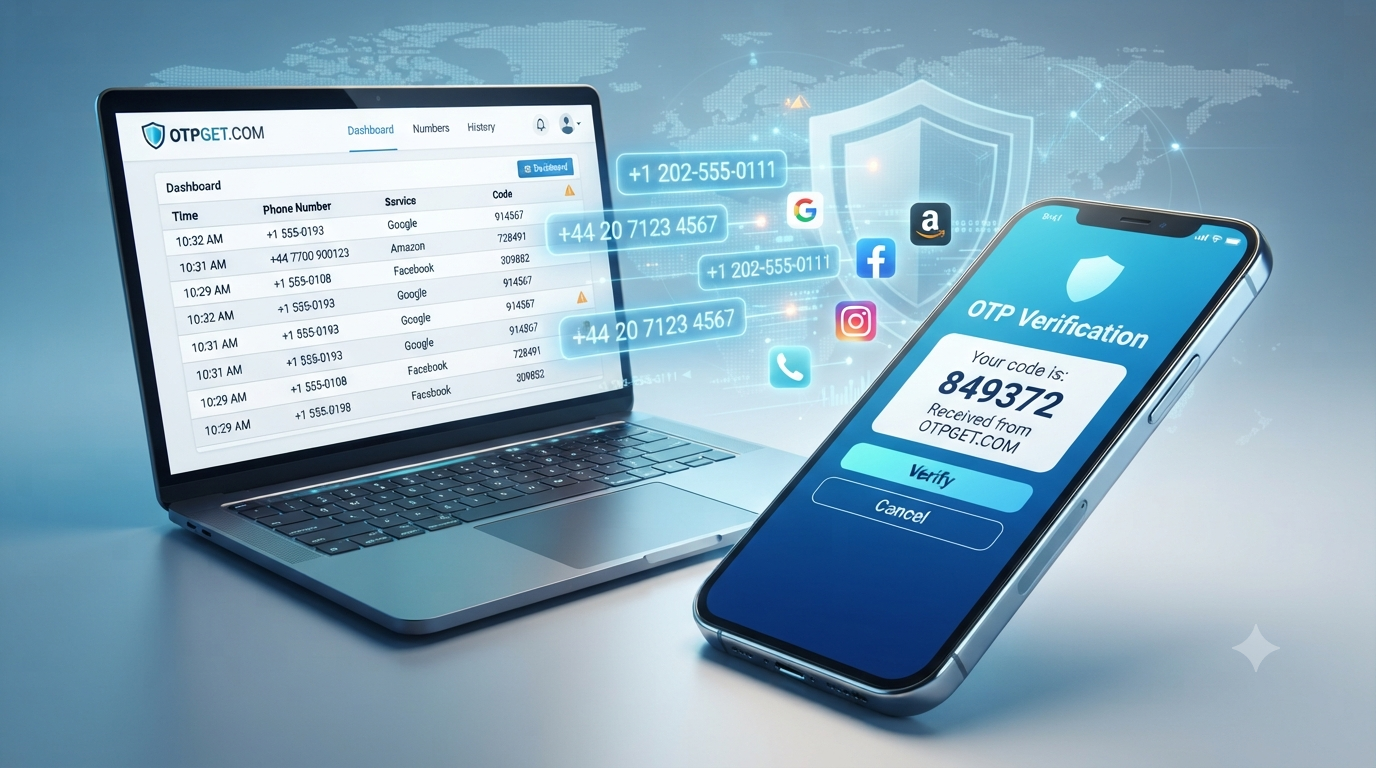
OTPGET makes it easy to receive OTP online using secure virtual phone numbers. Instead of relying on your personal SIM card, you can receive verification codes instantly through an easy-to-use online dashboard.
In this guide, you'll learn how to get OTP via SMS, how online SMS verification works, why websites require OTP verification, and why OTPGET is one of the most reliable SMS verification services available.
What Is OTP SMS?
An OTP (One-Time Password) is a unique code sent by SMS to verify that the person requesting access is the legitimate account owner.
Unlike regular passwords, OTPs are temporary and expire after a short period. This extra layer of security helps prevent unauthorized access even if someone knows your password.
You'll commonly receive OTP SMS when:
- Creating a new online account
- Logging into websites
- Verifying phone numbers
- Confirming online purchases
- Recovering passwords
- Enabling two-factor authentication
The process is simple:
- Enter your phone number.
- The website sends an SMS verification code.
- Enter the code.
- Your identity is confirmed.
Why Websites Require OTP Verification
Many online services use OTP verification because it significantly improves security.
Here are the main reasons:
Protect User Accounts
OTP verification confirms that a real person controls the provided phone number.
Prevent Fraud
Fake accounts and automated bots become much harder to create when phone verification is required.
Secure Financial Transactions
Banks, payment providers, and e-commerce platforms often require OTP verification before approving sensitive actions.
Reduce Spam
Phone verification limits abuse on social media platforms, marketplaces, and community websites.
Improve Trust
Verified users create a safer environment for businesses and customers alike.
Common Problems Receiving OTP SMS
Although OTP verification is useful, receiving SMS messages isn't always convenient.
Some common challenges include:
Traveling Abroad
International roaming may prevent you from receiving verification messages.
SIM Card Problems
A damaged or inactive SIM card can stop OTP delivery.
Poor Network Coverage
Weak cellular signals often delay important verification codes.
Privacy Concerns
Many users prefer not to share their personal phone number with every website they join.
Managing Multiple Accounts
Businesses, marketers, and developers often need separate numbers for testing or account management.
Application Testing
QA teams frequently require multiple phone numbers to test registration and authentication workflows.
Business Operations
Organizations handling customer onboarding or automated testing benefit from scalable SMS verification solutions.
How to Get OTP via SMS
If you're wondering how to get OTP via SMS, the process is much easier than many people expect.
Step 1: Choose a Reliable SMS Verification Service
Select a trusted provider such as OTPGET, which offers virtual phone numbers across multiple countries.
Step 2: Select Your Country
Choose a virtual number from the country required by the website or application.
Step 3: Pick the Service
Many popular online platforms are supported, making verification quick and straightforward.
Step 4: Use the Virtual Phone Number
Copy the assigned number and enter it during registration or verification.
Step 5: Receive the OTP Online
The verification code appears in your OTPGET dashboard almost instantly.
Step 6: Complete Verification
Copy the received OTP and paste it into the website to finish the verification process.
The entire process usually takes only a few moments and removes the need to rely on your personal phone number.
Why Use a Virtual Phone Number?
Virtual phone numbers have become a preferred solution for online verification because they offer flexibility, convenience, and improved privacy.
Some of the biggest advantages include:
- Protect your personal number
- Receive OTP online from anywhere
- Access numbers from multiple countries
- Fast SMS verification
- Simple account management
- Ideal for developers and businesses
- Support multiple online services
- No physical SIM card required
For users who regularly need verification codes, virtual numbers provide a much smoother experience than traditional mobile networks.
Why OTPGET Is the Best Solution
When choosing an SMS verification platform, reliability matters.
OTPGET is designed specifically for users who need secure, fast, and dependable OTP delivery.
Instant OTP Delivery
Receive verification codes within seconds, helping you complete registrations without unnecessary waiting.
Global Virtual Phone Numbers
Choose from virtual numbers across multiple countries for greater flexibility.
High Success Rate
Reliable routing and optimized infrastructure improve the chances of successful SMS delivery.
Secure Verification
Your personal phone number stays private while completing online verification.
Affordable Pricing
Only pay for the services you need without maintaining multiple physical SIM cards.
Easy Dashboard
A clean interface makes it simple to monitor incoming SMS messages and manage your virtual numbers.
Developer Friendly
Developers can streamline testing workflows and integrate SMS verification into automated processes using available API capabilities where supported.
Business Ready
Marketing teams, QA departments, startups, and enterprises can efficiently manage verification at scale.
Works with Many Online Services
OTPGET supports verification for a wide range of websites and applications, making it a versatile solution for different use cases.
Benefits of Using OTPGET
- Receive OTP online instantly
- Virtual phone numbers from multiple countries
- Fast SMS activation
- Secure OTP delivery
- High verification success rate
- Easy-to-use dashboard
- Affordable pricing
- Privacy protection
- Business-friendly platform
- Developer-friendly features
- Supports online SMS verification
- Reliable SMS verification service
- Quick account activation
- Scalable for organizations
- Works with many online platforms
OTPGET vs Traditional SIM Cards
| Feature | Traditional SIM | OTPGET |
|---|---|---|
| Instant activation | ❌ | ✅ |
| Virtual phone numbers | ❌ | ✅ |
| Receive OTP online | ❌ | ✅ |
| Multiple countries | Limited | ✅ |
| Privacy protection | Limited | ✅ |
| Easy dashboard | ❌ | ✅ |
| Business scalability | Limited | ✅ |
| Developer support | Limited | ✅ |
| No physical SIM required | ❌ | ✅ |
| Fast SMS verification | Limited | ✅ |
| Manage multiple numbers | Difficult | ✅ |
| Affordable for verification | Moderate | ✅ |
Tips for Successful SMS Verification
Improve your verification success by following these best practices:
- Choose a trusted SMS verification provider.
- Select the correct country before requesting a number.
- Enter the phone number carefully.
- Request the OTP only once to avoid temporary limits.
- Complete verification promptly before the code expires.
- Keep your dashboard open while waiting for the SMS.
- Use dedicated numbers for testing when managing multiple projects.
- Protect your account credentials even after verification.
Following these tips can reduce delays and improve the overall verification experience.
Conclusion
Learning how to get OTP via SMS doesn't have to be complicated.
Whether you're creating new online accounts, testing applications, protecting your privacy, or managing business workflows, a reliable SMS verification platform can save both time and effort.
Instead of relying solely on physical SIM cards, virtual phone numbers provide a faster, more flexible, and privacy-focused approach to online verification.
With instant OTP delivery, global virtual numbers, secure verification, affordable pricing, an intuitive dashboard, and support for many online services, OTPGET offers a dependable solution for individuals, developers, businesses, digital marketers, QA testers, and anyone who needs to receive OTP online quickly and securely.
Choosing the right platform today can make every future verification process faster, simpler, and more reliable.
Frequently Asked Questions
1. What is OTP?
An OTP (One-Time Password) is a temporary verification code sent by SMS to confirm your identity during login, registration, or secure transactions.
2. Can I receive OTP online?
Yes. Using a trusted service like OTPGET, you can receive OTP online through virtual phone numbers without relying on your personal SIM card.
3. Is receiving OTP online safe?
Yes, when you use a reputable SMS verification service that prioritizes secure delivery, privacy, and reliable infrastructure.
4. Why do websites require OTP verification?
Websites use OTP verification to protect accounts, reduce fraud, prevent fake registrations, and enhance overall platform security.
5. What is a virtual phone number?
A virtual phone number is an online number that can receive SMS messages without requiring a physical SIM card.
6. Who can benefit from an online SMS verification service?
Developers, businesses, QA testers, marketers, online shoppers, privacy-conscious users, and anyone needing phone verification can benefit.
7. Can businesses use OTPGET?
Yes. OTPGET is designed to support both individual users and businesses with scalable SMS verification solutions and developer-friendly features.
8. Why is OTPGET recommended for SMS verification?
OTPGET combines instant OTP delivery, virtual phone numbers, global availability, affordable pricing, secure verification, high success rates, and an easy-to-use dashboard, making it an excellent choice for online SMS verification.
Final CTA
Need a faster, more secure way to receive OTP SMS online? Try OTPGET today and experience instant OTP delivery, reliable virtual phone numbers, global coverage, affordable pricing, and a seamless SMS verification experience for personal, developer, and business needs.