Instagram phone number not working? Fix Verification Issues Fast
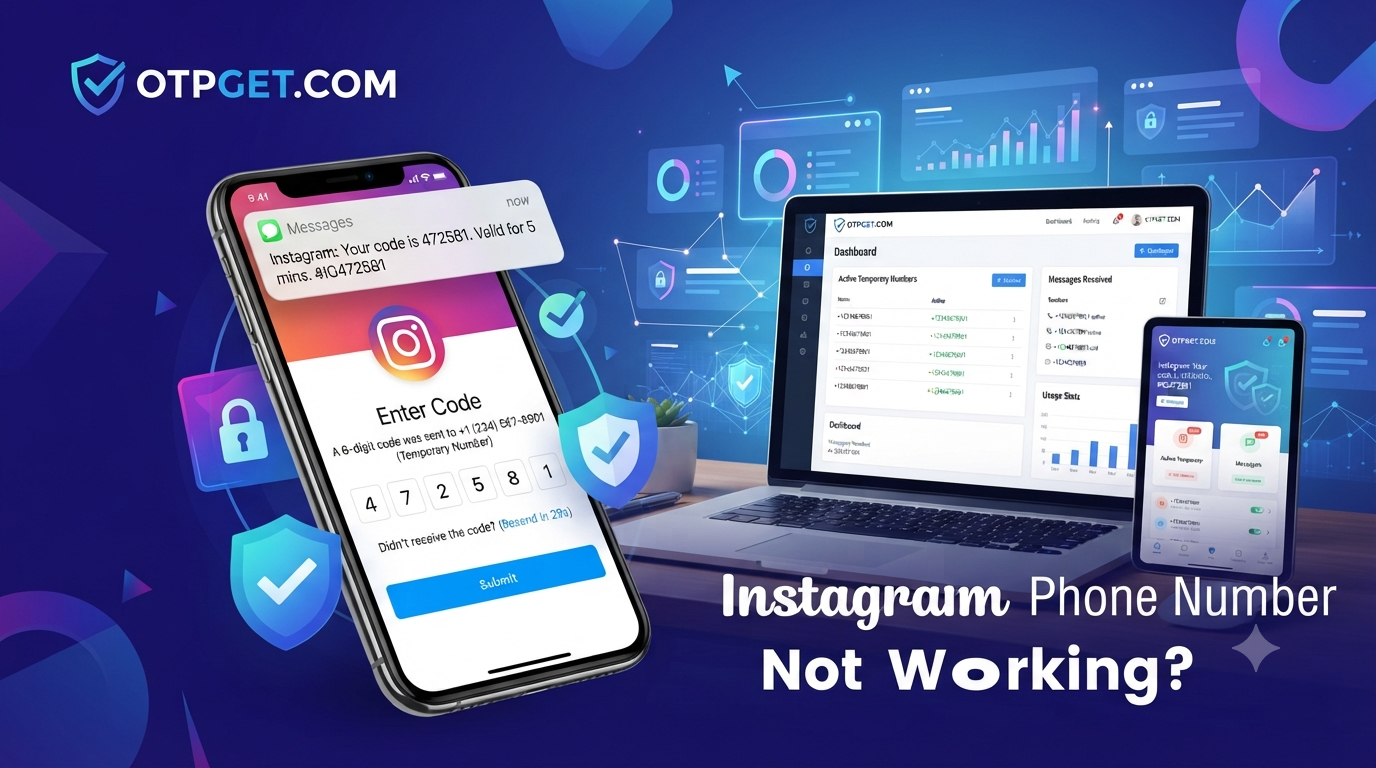
Instagram Phone Number Not Working? Fix Verification Issues Easily
Introduction
When your Instagram phone number not working issue appears, it can quickly become frustrating. Many users enter their mobile number correctly but still cannot receive verification codes, complete account setup, or access their accounts. Whether the problem happens during login, registration, or account recovery, phone verification failures can interrupt your Instagram experience.
The good news is that most Instagram phone verification problems have clear causes and practical solutions. From rejected numbers and delayed SMS messages to privacy concerns, understanding the reason behind the issue is the first step toward fixing it.
This guide explains why Instagram phone verification fails, how to troubleshoot the problem, and how a reliable temporary phone number service like OTPGET can help users receive verification codes quickly while protecting their personal phone numbers.
Table of Contents
-
Why Is Instagram Phone Number Not Working?
-
Common Reasons Instagram Rejects Your Phone Number
-
How to Fix Instagram Phone Number Not Working
-
Why Using a Temporary Phone Number Can Help
-
Why OTPGET Is the Best Solution
-
Step-by-Step Guide to Verify Instagram Using OTPGET
-
Best Practices to Avoid Verification Problems
-
Frequently Asked Questions
Why Is Instagram Phone Number Not Working?
The Instagram phone number not working problem usually happens because Instagram’s security system cannot successfully verify your mobile number. The platform uses phone verification to protect accounts, prevent spam, and confirm user identity.
However, legitimate users may still experience problems. A verification SMS may never arrive, the phone number may be rejected, or Instagram may temporarily block additional attempts.
These issues are often connected to network problems, carrier limitations, account activity, or security checks. Identifying the exact cause makes it easier to choose the right solution.
Common Reasons Instagram Rejects Your Phone Number
Number Already Used
Instagram may refuse a phone number if it is already linked to another account. Phone numbers can only be associated with a limited number of accounts, so using an existing number may trigger verification problems.
If you no longer have access to an old account connected to that number, removing the number from the previous account may help.
Too Many Verification Attempts
Requesting too many OTP codes within a short period can activate Instagram’s security limits. This temporary restriction prevents automated abuse but may affect normal users.
Repeated attempts can delay verification messages or prevent new codes from being sent.
Unsupported Carrier
Some mobile carriers may have difficulty receiving automated verification messages. Certain virtual networks, blocked SMS routes, or carrier filtering systems can interfere with OTP delivery.
If your carrier does not reliably receive verification messages, another verification option may be necessary.
Temporary Instagram Restrictions
Instagram may temporarily restrict phone verification after unusual activity, multiple login attempts, or suspicious account behavior.
Waiting before trying again and avoiding repeated requests can help restore normal verification access.
Country Restrictions
Phone verification availability can vary depending on location and supported SMS networks. International users may experience delays if their mobile provider has limited compatibility.
Spam Detection
Instagram’s security systems analyze phone numbers to identify suspicious activity. Numbers associated with excessive account creation or unusual behavior may face verification difficulties.
How to Fix Instagram Phone Number Not Working
If your Instagram phone verification is failing, try these solutions:
-
Check your phone number format
Make sure you entered the correct country code and mobile number. Even a small formatting mistake can prevent SMS delivery. -
Confirm your mobile connection
Poor network coverage or blocked SMS services can stop verification messages from arriving. -
Restart your phone
A simple device restart can refresh network connections and resolve temporary SMS issues. -
Avoid requesting multiple codes
Repeated OTP requests can trigger temporary restrictions. Wait and try again later. -
Update the Instagram app
Using an outdated application version may cause login and verification problems. -
Try another verification method
If your personal number continues failing, a temporary phone number can provide a practical alternative.
Why Using a Temporary Phone Number Can Help
A temporary phone number allows users to receive SMS verification codes without sharing their personal mobile number.
This option is useful for people who value privacy, manage multiple accounts, or cannot receive verification messages on their regular phone.
Benefits include:
-
Better privacy protection
-
Quick access to OTP messages
-
Reduced exposure of personal contact details
-
Convenient online SMS reception
-
Useful backup verification option
A temporary phone number should come from a trusted provider that offers reliable message delivery and secure access.
Why OTPGET Is the Best Solution
For users facing Instagram phone verification problems, OTPGET provides a simple way to receive verification messages without depending on a personal phone number.
The service is designed for users who need fast and convenient OTP access. Instead of waiting for delayed messages or dealing with rejected numbers, users can access temporary phone numbers created for verification purposes.
OTPGET offers:
-
Reliable OTP delivery
-
Fast SMS reception
-
Support for Instagram verification
-
Easy-to-use interface
-
Affordable verification options
-
Global phone number availability
-
Privacy protection
-
No complicated registration process
-
Instant access to verification numbers
-
High success rates for receiving SMS codes
-
Availability whenever verification is needed
By using a trusted temporary number provider, users can simplify the verification process while keeping their personal phone numbers private.
Step-by-Step Guide to Verify Instagram Using OTPGET
Follow these steps to complete Instagram verification:
-
Visit OTPGET and choose a suitable temporary phone number.
-
Select the country and service option that matches your verification requirement.
-
Copy the temporary phone number provided.
-
Enter the number during Instagram’s phone verification process.
-
Wait for the OTP SMS to arrive.
-
Enter the received verification code into Instagram.
-
Complete your account verification process.
The process is designed to be simple, allowing users to receive verification messages without unnecessary complications.
Best Practices to Avoid Verification Problems
To reduce future Instagram verification issues:
-
Use accurate account information
-
Avoid requesting too many OTP codes quickly
-
Keep your Instagram app updated
-
Use trusted verification services
-
Avoid sharing verification codes with others
-
Protect your account with secure login habits
-
Keep backup recovery options available
Good security practices help prevent unnecessary account access problems.
Frequently Asked Questions
Why is my Instagram phone number not working?
Your Instagram phone number may not work because of incorrect formatting, carrier issues, too many verification attempts, restrictions, or security checks.
Why am I not receiving my Instagram verification code?
The SMS may be delayed because of network issues, carrier filtering, incorrect numbers, or temporary Instagram restrictions.
Can I verify Instagram without using my personal phone number?
Yes. A temporary phone number can help users receive verification codes while keeping their personal number private.
Is a temporary phone number safe for Instagram verification?
A trusted temporary phone number provider can offer a safer privacy-focused option for receiving OTP messages.
How long does Instagram verification SMS take?
Delivery time depends on network conditions, carrier support, and Instagram’s verification system.
Can I use a virtual number for Instagram OTP?
Yes. Many users use virtual numbers to receive SMS verification codes for online services.
What should I do if Instagram keeps rejecting my number?
Check your number format, avoid repeated attempts, and consider using a reliable temporary verification number.
Does OTPGET work for Instagram verification?
OTPGET is designed to help users receive OTP messages for services that require SMS verification, including Instagram verification needs.
Conclusion
The Instagram phone number not working issue can happen for many reasons, including SMS delays, carrier problems, security restrictions, or number limitations. Fortunately, users have several ways to solve these problems.
When personal phone numbers fail or privacy becomes a concern, a temporary phone number service provides a convenient alternative. OTPGET helps users receive verification codes quickly with reliable SMS delivery, easy access, and privacy-focused features.
If you need a simple way to complete Instagram verification without unnecessary delays, try OTPGET and make the verification process smoother.